
Dashboard
The dashboard is the first page you see after logging in. It shows summary cards, a chart of the emails you received over the last 30 days, and your most recent emails.
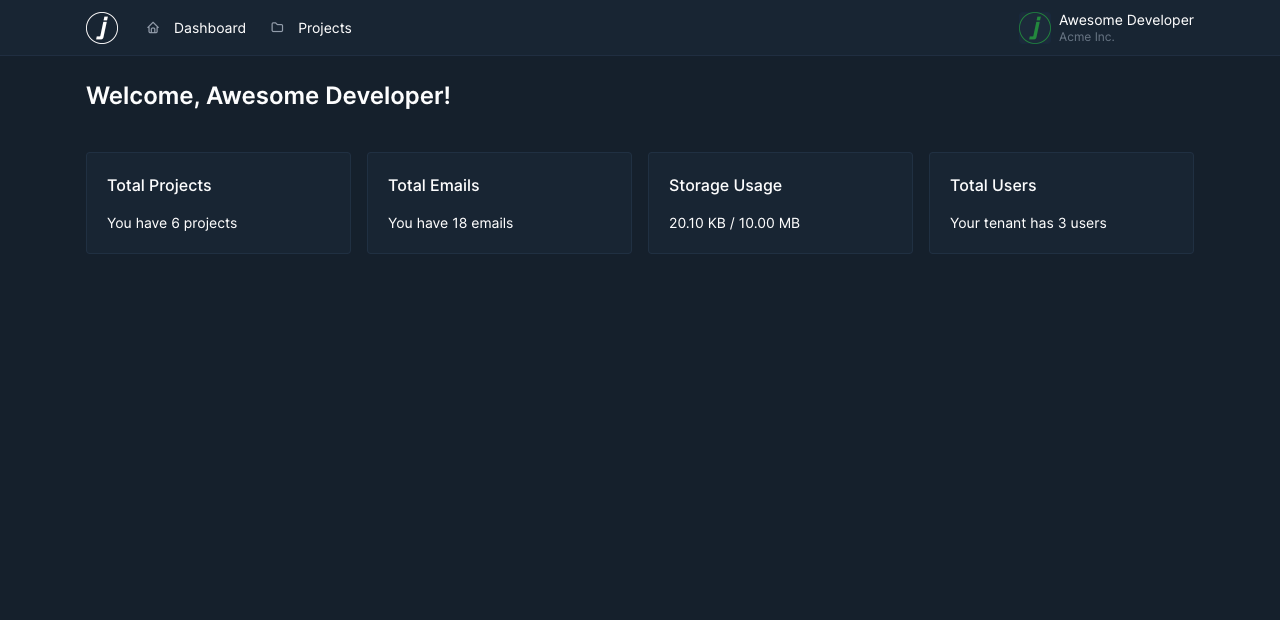
All numbers only include projects you have access to. Some widgets are only visible to organisation administrators.
Summary Cards
Emails caught
Shows how many emails have been caught in all your projects, and how many of them arrived in the last 7 days.
Projects
Shows how many projects you can access.
Storage used Admin
Shows how much storage your organisation uses, as a progress bar and as a percentage of the storage included in your plan. The bar changes color when you are running low on storage. Only visible to organisation administrators.
Team members Admin
Shows how many users are part of your organisation. Only visible to organisation administrators.
Emails Received
The chart shows how many emails arrived each day over the last 30 days, along with the total for that period. Hover over a bar to see the exact count for that day.
Recent Emails
Lists the six most recently received emails across all your projects. Each entry shows the subject, the sender, the project and when the email arrived. Click an entry to open the email.
If no emails have arrived yet, the list explains how to send one using your project's SMTP credentials.